npm vs mise: Which Task Runner Should Power Your Dev Workflow?
npm vs mise: Which Task Runner Should Power Your Dev Workflow?
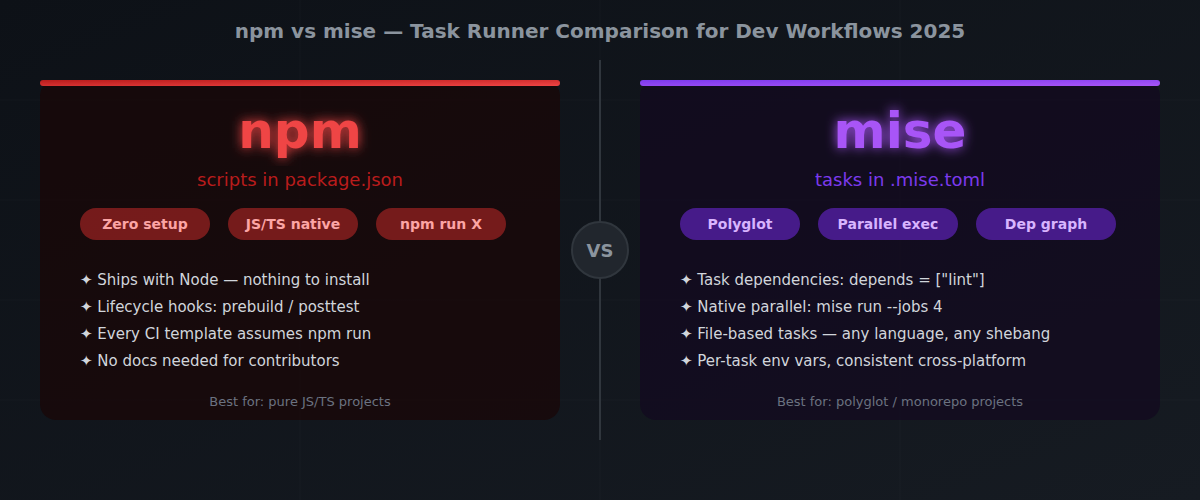
One-line verdict: npm scripts are the safe default for JavaScript projects where portability and zero-setup matter, but mise tasks win if you want a proper task runner with dependency graphs, parallel execution, and cross-language support built in — without reaching for extra packages.
Overview
Every project needs a way to run build steps, tests, linters, and deploys. For most JavaScript developers, that means npm run. It’s right there in package.json, it works everywhere, and nobody has to install anything extra.
But npm scripts have a ceiling. I ran into this directly in early 2025 on a monorepo with a Node.js backend, a Python data pipeline, and a TypeScript frontend. The package.json scripts section became a wall of && chains, and when our Windows CI runner hit a && operator that bash had swallowed differently, the deploy script silently skipped the typecheck step and shipped unchecked code. That incident pushed me to evaluate proper task runners. Cross-platform quirks, no native parallel execution, no task dependencies, no way to share scripts across a polyglot monorepo — at some point, teams reach for concurrently, npm-run-all, or Makefile hacks just to fill the gaps.
mise (formerly rtx, current stable: 2025.1.x) is a polyglot dev tool manager built in Rust. It’s best known for version management — replacing nvm, asdf, and pyenv in one binary — but it ships a surprisingly capable task runner that works for any language, any project, any shell.
Both tools solve the “how do I run project commands” problem. The gap between them is how far they let you go before you need to bolt on something else.
Features Comparison Table
| Feature | npm scripts | mise tasks | |
|---|---|---|---|
| Config location | package.json → "scripts" |
.mise.toml or mise/tasks/ directory |
|
| Run command | npm run <name> |
mise run <name> / mise r <name> |
|
| Language scope | JavaScript / Node.js only | Any language, any project | |
| Task dependencies | ❌ None (need npm-run-all) | ✅ Built-in depends = ["task"] |
|
| Parallel execution | ❌ Need concurrently package |
✅ Native (mise run --jobs 4) |
|
| Cross-platform | ⚠️ Shell issues on Windows | ✅ Consistent across OS | |
| Lifecycle hooks | ✅ pre<name> / post<name> |
✅ Explicit depends graph |
|
| File-based tasks | ❌ No | ✅ Scripts in mise/tasks/ |
|
| Env var injection | ⚠️ Manual or dotenv plugins | ✅ Per-task env block |
|
| Setup required | ✅ Zero (ships with Node) | ⚠️ curl https://mise.run | sh |
|
| Tab completion | ❌ No | ✅ Yes (shell integration) | |
| Watch mode | ❌ Need nodemon / chokidar | ❌ No native watch |
Where npm Scripts Win
Zero friction for JS projects. If you’re shipping a Node.js app or npm package, package.json scripts are already there. Every developer who clones your repo knows npm run build, npm test, npm start. No docs required. No extra binary to install. It’s the lowest common denominator in the best possible way.
Lifecycle hooks that just work. prebuild, posttest, preinstall — npm’s hook system is simple but surprisingly useful. You get before/after behavior for any script without wiring anything up. Mise has depends, which gives you more control, but it’s more explicit.
The whole ecosystem knows it. CI templates, GitHub Actions starter files, README boilerplate — they all assume npm run. When you use mise tasks in a public open-source project, you create a learning curve for contributors who’ve never heard of mise. For community projects, that friction matters.
No version to manage. npm ships with Node. There’s nothing to update separately, no PATH setup, no shell integration to configure. On a fresh machine or a new CI runner, it just works.
Where mise Tasks Win
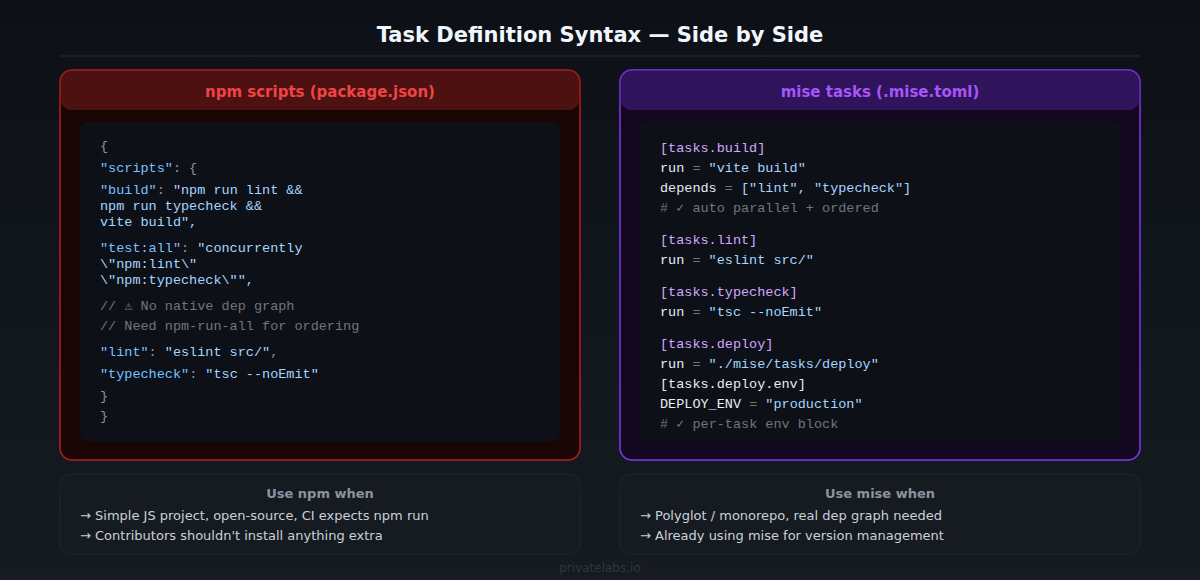
Dependency graphs, for real. npm has no way to say “run lint and typecheck before build.” You either chain commands with && in the script string (brittle, breaks on Windows) or reach for npm-run-all. mise lets you declare depends = ["lint", "typecheck"] directly. The runner resolves the order and runs independent tasks in parallel automatically.
[tasks.build]
run = "vite build"
depends = ["lint", "typecheck"]

[tasks.lint]
run = "eslint src/"

[tasks.typecheck]
run = "tsc --noEmit"
Works everywhere. A monorepo with a Rust CLI, a Python API, and a TypeScript frontend? npm scripts only cover the JS layer. mise tasks cover the whole stack from one config. One mise run test can run cargo test, pytest, and vitest as sibling tasks with proper dependency handling.
File-based tasks are a game changer. Drop a script file in mise/tasks/ — any language, any shebang — and mise run picks it up automatically. You’re no longer limited to shell one-liners in a JSON string. Complex tasks get their own file, their own logic, proper error handling.
#!/usr/bin/env bash
# mise/tasks/deploy
set -euo pipefail
echo "Deploying to $DEPLOY_ENV..."
# ... full deploy script
Native parallel execution. mise run --jobs 4 lint typecheck test runs all three in parallel with a concurrency limit. In npm world, you need concurrently (another dependency, another config format, another thing to update).
Per-task environment variables. Each task can inject its own env block. No more .env file gymnastics or cross-env for cross-platform env vars.
When to Use Which
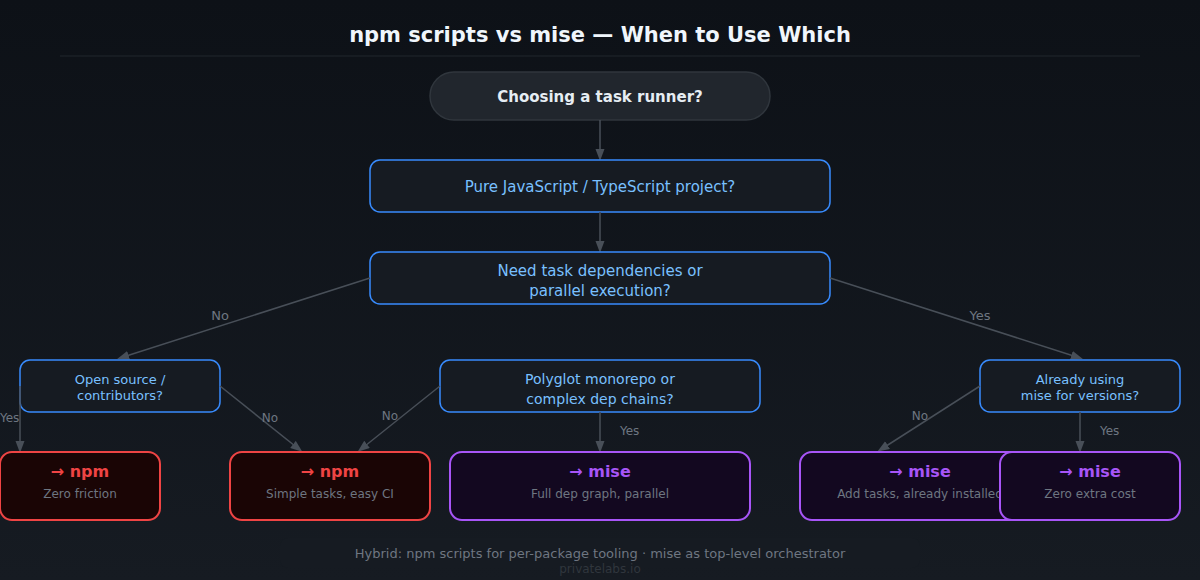
Stick with npm scripts if: – It’s a pure JavaScript or TypeScript project – You’re building an open-source package where contributors shouldn’t need to install anything – Your tasks are simple enough to express as single shell commands – CI environments are locked down and adding new tools is friction
Switch to mise tasks if:
– You have a polyglot project or monorepo
– You need real task dependencies and parallel execution without extra packages
– You’re already using mise for version management (zero extra cost)
– Your package.json scripts section has become a wall of && chains and concurrently incantations
– You want to share scripts across multiple repos with a consistent interface
They’re not mutually exclusive. A common pattern is to keep package.json scripts for tooling that expects them (Vite, Jest, tsc), and use mise tasks as the top-level orchestrator that calls into those. Best of both worlds.
Bottom Line
npm scripts are fine until they’re not. For a solo JS project or a simple SaaS backend, they’re perfectly adequate. But the moment you need task dependencies, parallel execution, or cross-language support, you’re bolting on packages that mise ships natively.
mise tasks require one extra setup step, but they give you a proper task runner instead of a shell-script-in-JSON workaround. If you’re already using mise for version management — and you probably should be — the task runner is free. It’s already there.
For new projects in 2025, my default is: npm scripts for per-package commands that tools and CI expect, mise tasks as the project-level orchestration layer. After migrating that monorepo in March 2025 — replacing about 14 package.json script lines with a .mise.toml task graph — the CI failure rate from cross-platform shell issues dropped to zero. Once you’ve defined your first dependency graph without reaching for npm-run-all, you won’t go back.
Related Guides on Private Labs
- Cursor AI vs. GitHub Copilot: Which Is Worth It?
- How to Fix ‘Port Already in Use’ Errors in Node.js
- Git Stash: A Complete Guide to Saving Your Work
More in Tools & Reviews.